
Review: DeerLab
DeerLab is web-based trail camera management software that helps you sort photos, pull in weather data, and build profiles on target bucks. Here's my honest take — including whether the subscription is worth it.

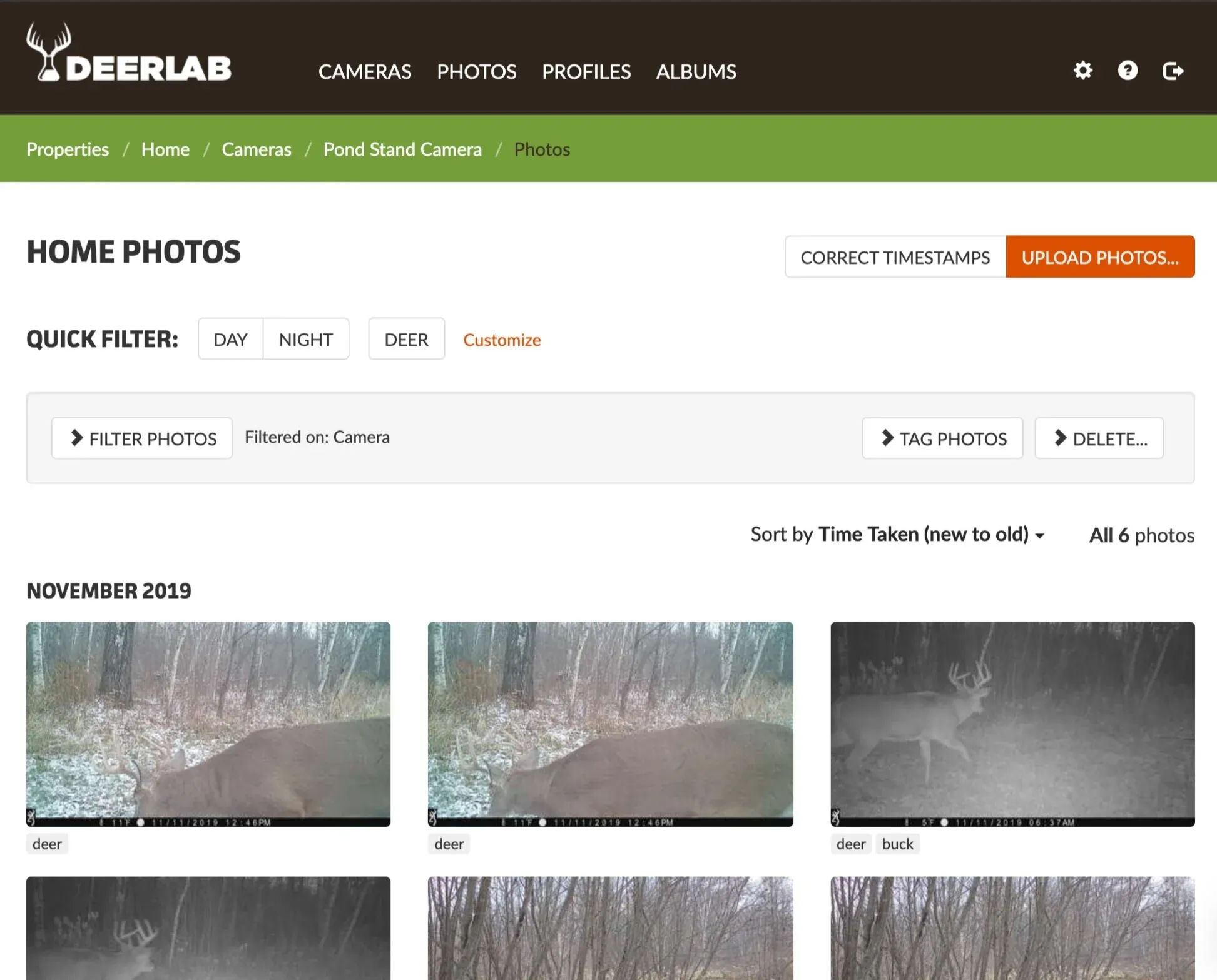
DeerLab is web-based, trail camera management software. By uploading your trail camera photos to DeerLab, you’ll get automated assistance with sorting and tagging your photos, including photo recognition on the types of animals caught on camera. DeerLab does all of this while also helping you create profiles on target bucks.
Setup
The first thing you do in DeerLab is create a “Property”. When you create the property, you set the timezone, and two quick filter settings — one to define daylight hours, the other to add quick filter tags. Quick filter tags are only useful if you are managing multiple properties. Setting your daylight hours will automatically filter your pictures into day vs night.
After creating your property, you’ll set up a view of it using Google Maps and then define the names and locations of your trail cameras. It’s important to indicate the location of your cameras because as you import pictures, DeerLab can help you determine travel routes if it recognizes the same deer on multiple cameras. After you have your cameras set up, you’re ready to begin importing!
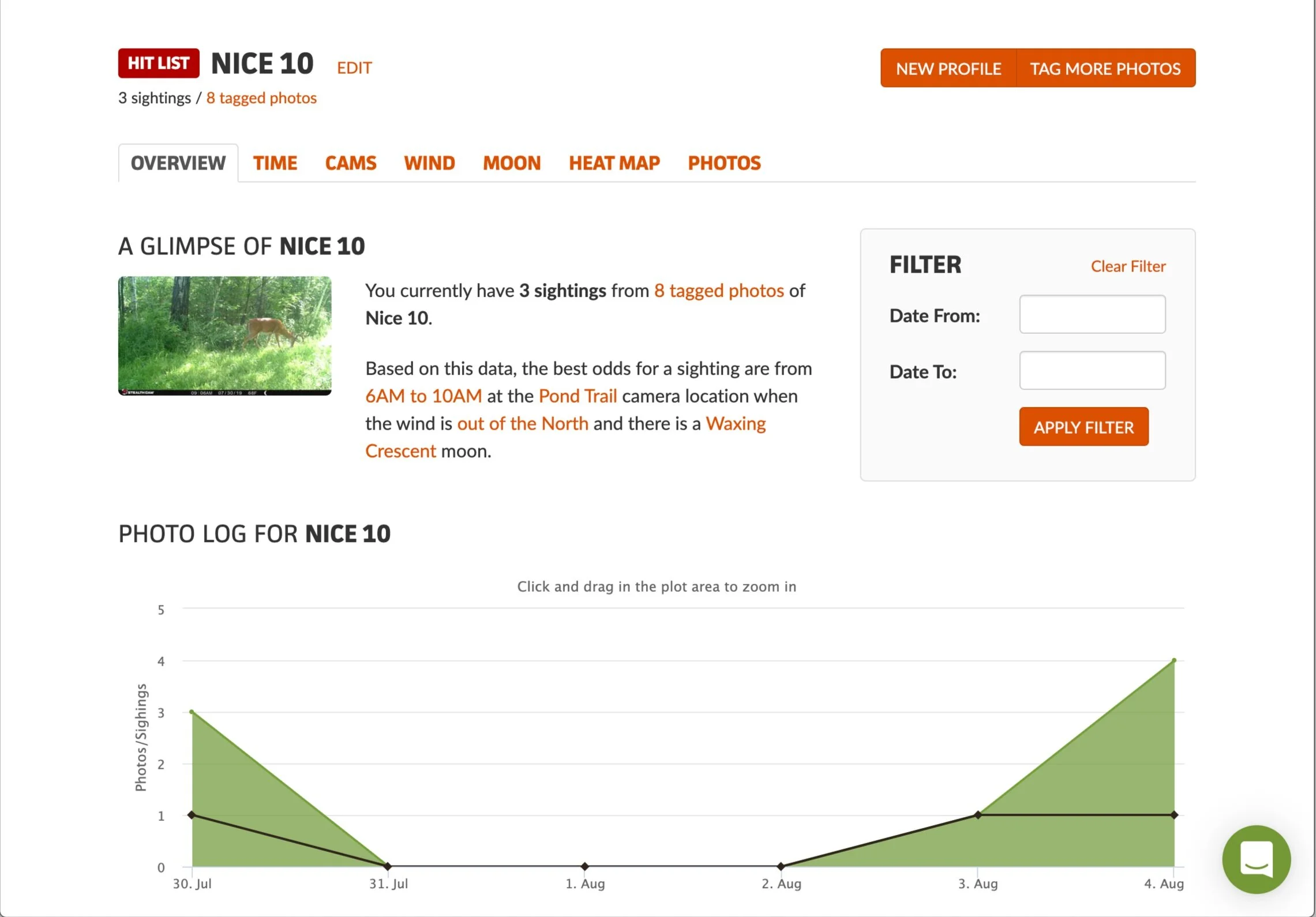
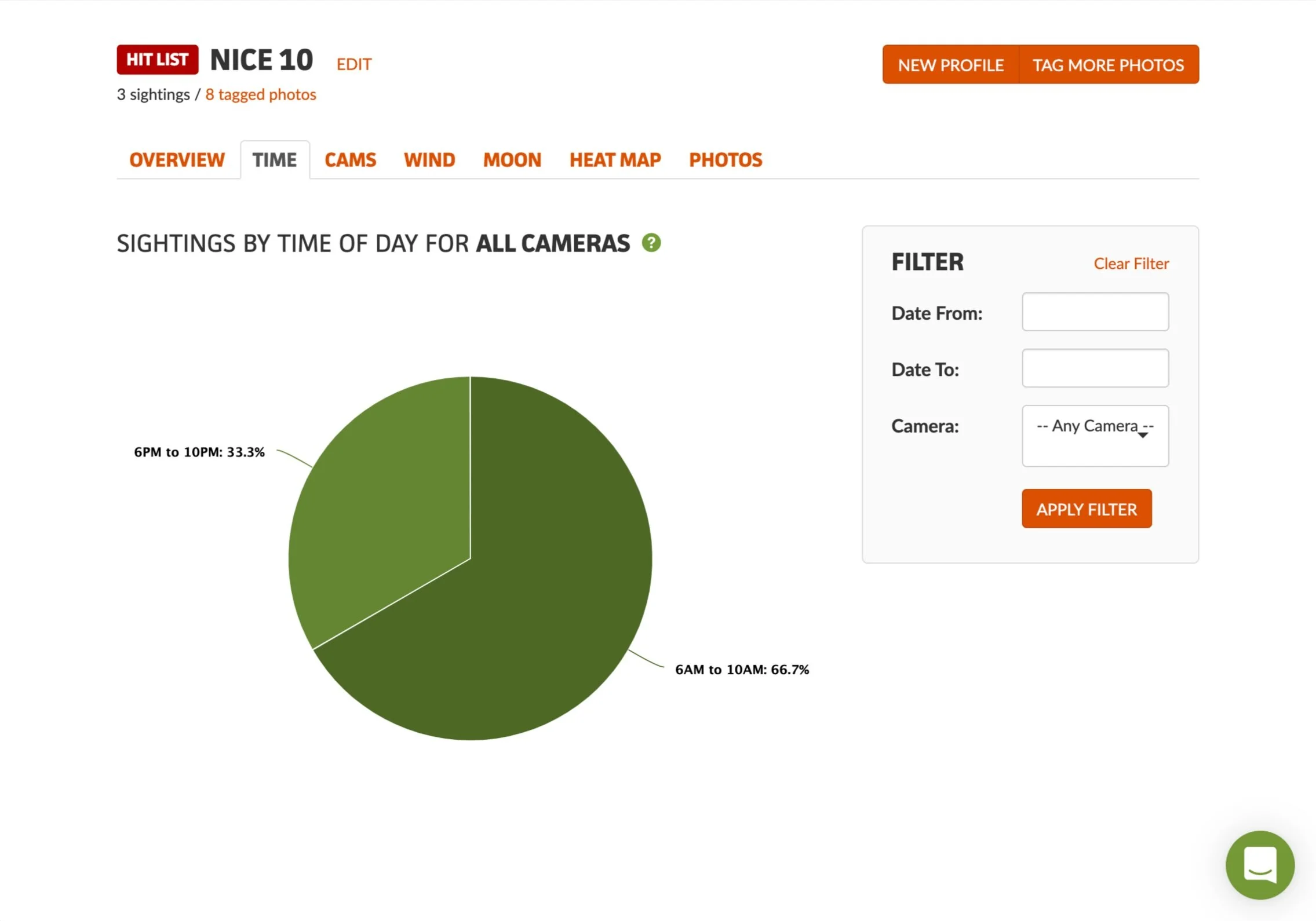
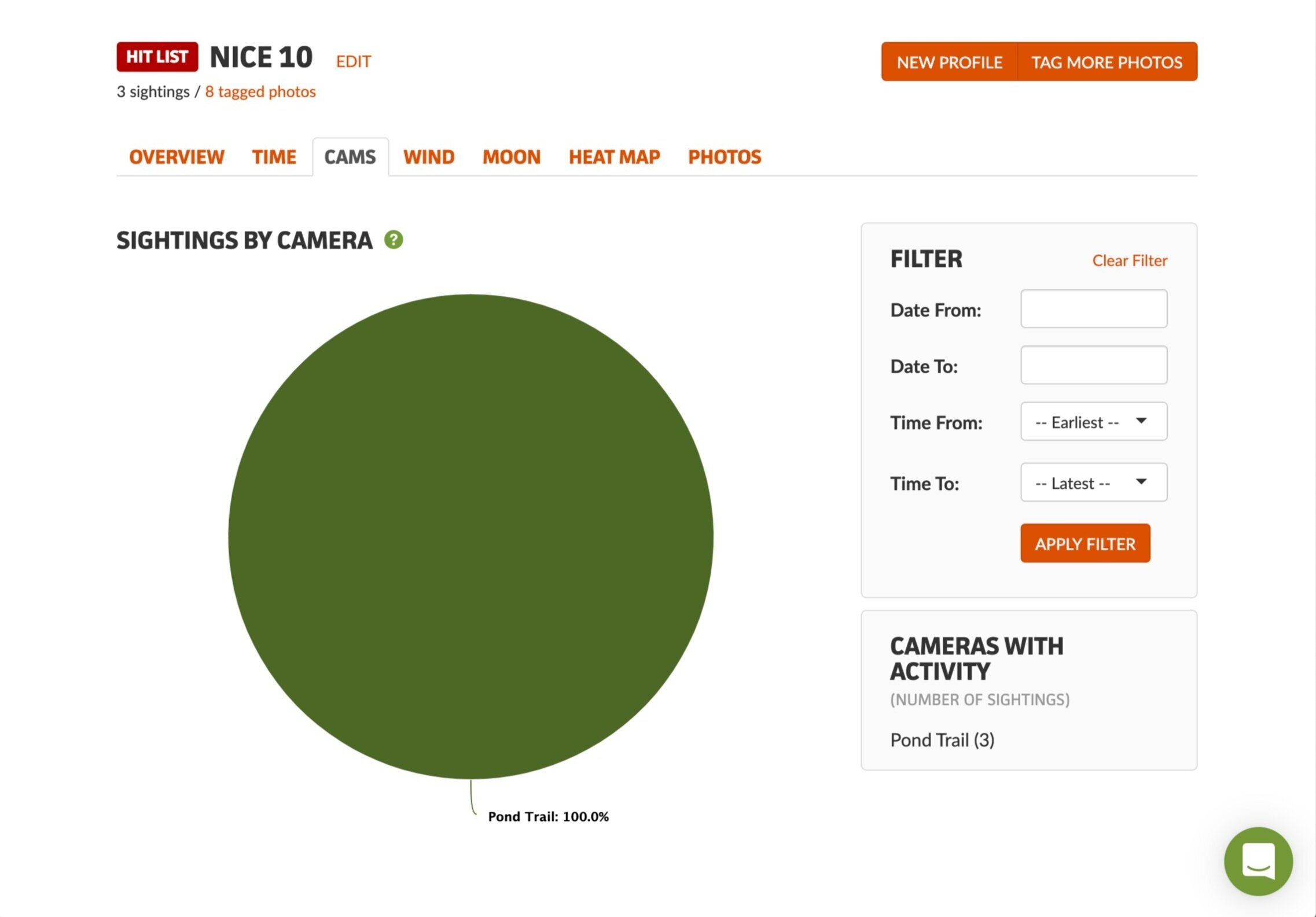
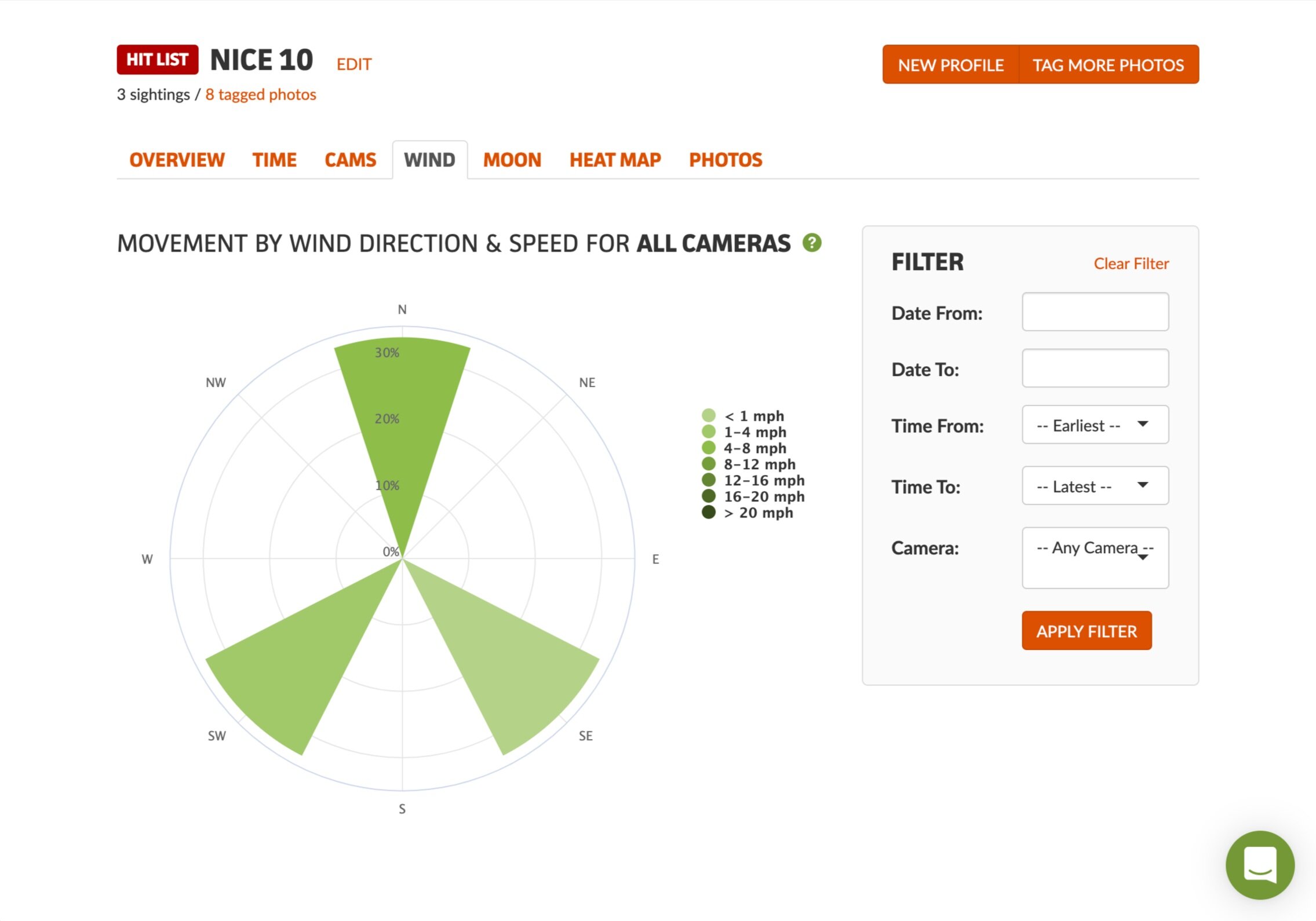
I don’t want to get into the weeds on importing and tagging photos. After all, it really just comes down to personal preference. However, in addition to coming up with a unique tag for each of your bucks, like a nickname or unique descriptor, you should consider standardizing on a handful of “categorization” tags. For example, tag all of your 8-point bucks with a certain tag, or all of your 2 1/2 year old or younger bucks with a specific tag. This way, as you build out your photo library, you can quickly find your mature 8-point bucks all in one search. My favorite thing about tagging in DeerLab is how it helps you build profiles on specific bucks. Here is an example of a 10-pointer that made it on my hit list last season.



Pricing & Flexible Plans
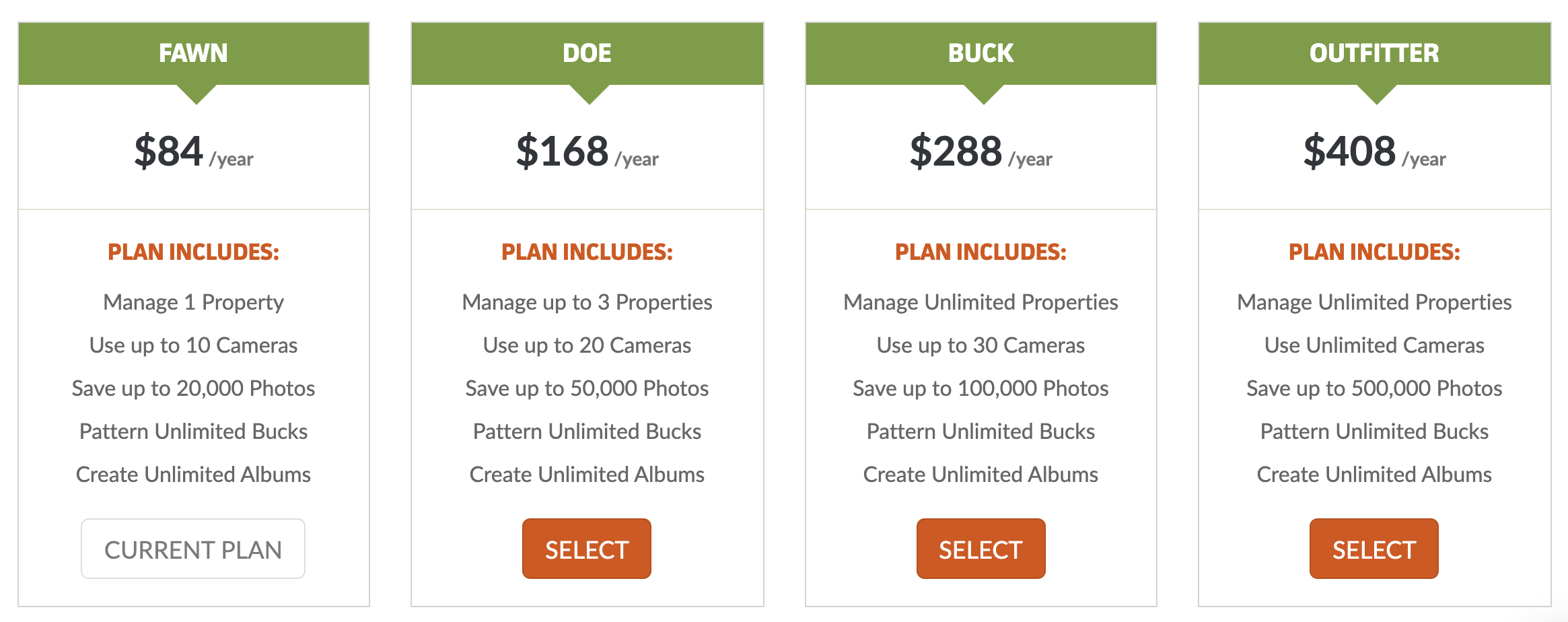
DeerLab has a number of flexible plans based on your needs. This to me is one of its major negatives. In a world of subscription services, you have to weigh wether or not the monthly or yearly plan is worth the value DeerLab adds. For example, at the time of writing this, their cheapest plan is $7/month if you pay for the whole year in advance. For $7/month you can get services like Disney+, Apple Arcade, Hulu, etc. The best part about their plans is they are incredibly flexible. You can adjust up and down as your needs change.
Additional Settings
DeerLab is incredibly easy to use and can be tailored to your exact needs. The only other Settings you need to configure are related to metric conversions. Changing your Temperature settings from Fahrenheit to Celsius, Windspeed from miles-per-hour to kilometers-per-hour, and Barometric Pressure from inches of mercury to millibars. One of my favorite features is the ability to correct timestamps on photos in bulk. I can’t tell you the number of times I’ve changed batteries on a trail camera only to have the dates revert back to January 1, 2018 or forgotten to adjust for Daylight Savings Time.
My Thoughts
DeerLab is a great tool if you don’t already have a trail camera management process or software. A number of trail camera manufacturers have their own management software. While I’m not familiar with what exists on the Windows side of things outside of the vendor software, for macOS users, Photos.app provides some automated capabilities for sorting and managing your trail camera photos. DeerLab’s differentiator is how it automatically pulls in weather information and helps build profiles on your target bucks. It’s up to you to determine how valuable this information and reporting is to you. I do find it a little on the expensive side if you are a single, small property owner with only a handful of cameras even at the Fawn level. If you manage multiple properties, either for yourself, clients, or family, this is a great tool. You can always wait to see if a Black Friday deal comes along which can help reduce the price to a range where it makes more sense for the smaller property owner.
You can get started with a free trial of DeerLab at https://deerlab.com/ (no credit card required). While I haven’t personally used it yet, I would encourage you to also check out Hunt Perfect. They offer a free trial and only have a single, unlimited plan that costs $20/year. The one concern I have for both DeerLab and Hunt Perfect is they don’t seem to have an active community or development. At the time of writing this, DeerLab hasn’t provided a product update since 2017, Hunt Perfect since 2018. I’m not convinced these types of products need to have more frequent updates, but it does add some concern on the lack of innovation or future product support.
This is not a sponsored post. All thoughts and opinions are based off of having spent my own money to use this product.